Greatest Black Friday Thunderbolt dock offers 2026: Our early picks
Black Friday offers on Thunderbolt docks and USB-C laptop computer docking stations are right here!
I’ve been writing about, reviewing, and publishing offers on Thunderbolt docks for years. I like them! They’re incredible additions to your desktop. I’ll say that dock offers could be tougher to search out now, as inflation has pushed some costs larger. Nonetheless, there are nonetheless strong reductions available — and, apparently, a few of them are from the distributors’ personal websites, themselves.
I’ve listed the most effective offers I’ve discovered on main etailer websites, under, together with an evidence of why I’ve chosen every deal. Alternatively, you possibly can work from my listing of the most effective Thunderbolt docks in addition to the most effective USB-C hubs, and see that are on sale.
Offers at a look
- Greatest Thunderbolt 4 docking station: Plugable Thunderbolt 4 Dock (TBT4-UD5), 96W charging, $159.96 ($40 off at Amazon)
- Greatest Thunderbolt 4 docking station, runner-up: OWC Thunderbolt Go Dock, 90W charging, $199.99 ($100 off at OWC MacSales)
- Greatest Thunderbolt 5 docking station: Wavlink Thunderbolt 5 Dock, 140W charging, $179.40 ($40.59 off at Amazon)
- Greatest Thunderbolt 5 docking station, runner-up: Ugreen Maxidok Thunderbolt 5 Dock, 140W charging, $218.48 ($81.51 off at Amazon)
- Greatest premium Thunderbolt docking station: Ugreen Revodok Maxidok 17-in-1, 140W charging, $319.99 ($180 off at Amazon)
- Greatest USB-C docking station: Anker Sensible Show Hub, $74.99 ($25 off at Amazon)
- Greatest USB-C docking station, runner-up: Ugreen 10-in-1 USB-C Hub, 100W charging, $59.99 ($20 off at Ugreen)
Greatest Thunderbolt 4 docking station deal: Plugable Thunderbolt 4 Dock, $159.96 ($40 off at Amazon)
Who is that this for?
I’ve reviewed plenty of Plugable Thunderbolt 4 docks, although this one escaped me. They’re a high quality producer. This dock provides a pair of devoted HDMI ports in addition to clearly labeled slots for USB-A, SD and microSD, and so forth. It’s a strong worth, although Amazon prospects have complained of some duds. Plugable’s assist is superb — use it if wanted.
Why is that this deal good?
I like this value. Thunderbolt 4 {hardware} is considerably aged (however nonetheless viable!) at this level, and a $160 value level is decrease than I count on.
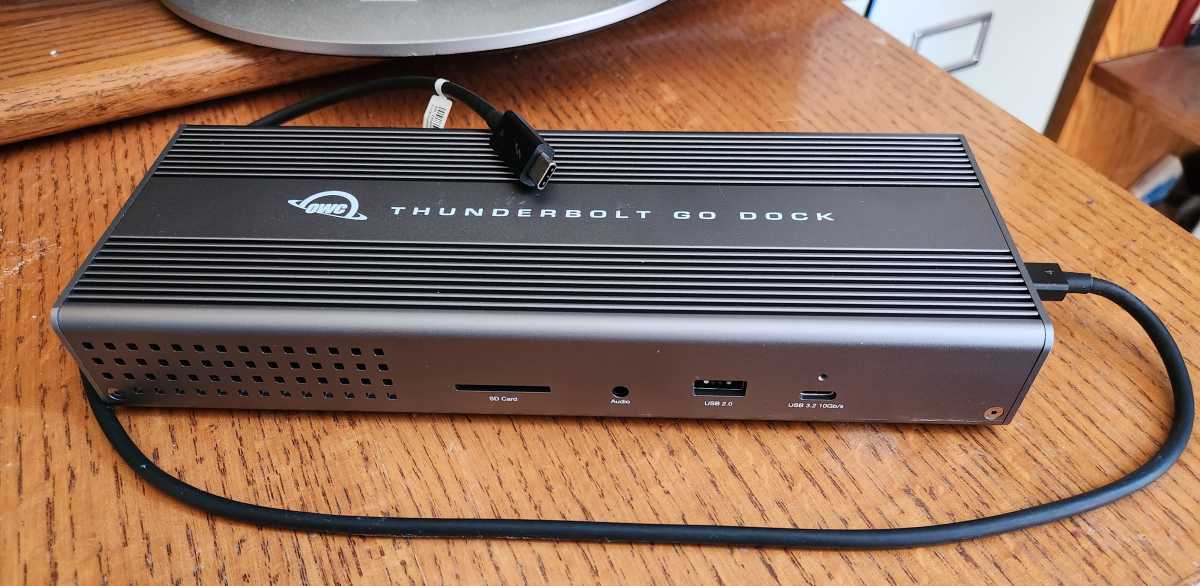
Greatest Thunderbolt 4 docking station deal, runner-up: OWC Thunderbolt Go Dock, $199.99 ($100 off at OWC)
Mark Hachman / IDG
Who is that this for?
Previous {hardware} isn’t essentially dangerous {hardware}, and this early Thunderbolt 4 dock I reviewed in 2023 remains to be viable. It has an fascinating benefit, too: the ability brick is definitely built-in, which may avoid wasting area. It’s fascinating how one can look again on a dock like this and assume, sure, there was room for enchancment, however it was fairly strong, too. My evaluate has all the professionals and cons, however $199.99 looks like a strong value.
(I’m going to sneak in an alternate: this $169.99 Wavlink Thunderbolt 4 dock I reviewed in 2025. It’s $30 off and has some quirks, however it’s another choice in case this deal disappears.)
Why is that this deal good?
For those who look again on the evaluate, you’ll discover hyperlinks to different retailers (Walmart and B&H) which additionally promote this dock on the $199.99 value. Knocking a 3rd off of the MSRP is only a strong low cost, interval.
Greatest Thunderbolt 5 docking station deal: Wavlink Thunderbolt 5 Dock, $179.40 ($40.59 off at Amazon)
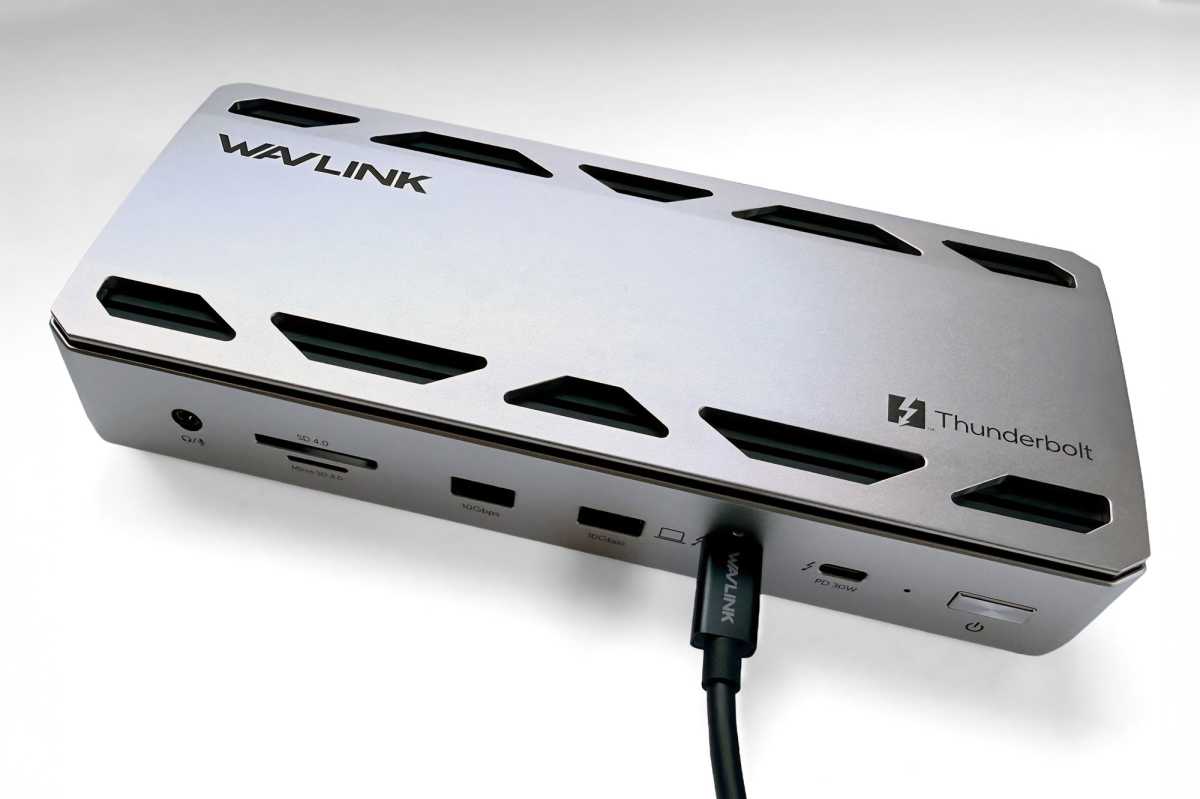
Simon Jary
Who is that this for?
Thunderbolt 5 docks are typically superb for many Macs, Home windows gaming laptops, and anybody making an attempt to future-proof their laptop computer. (Native Thunderbolt 5 assist isn’t native to Home windows laptops but, however some laptop computer makers add an additional chip.) It’s an excellent selection for a high-end artistic or gamer with a high-refresh-rate show, reminiscent of a 4K show with 144Hz assist.
Macworld reviewed this dock, however that is the model with out an SSD slot.
Why is that this deal good?
To be truthful, this deal is spectacular for these individuals who personal a show with a USB-C port (particularly Thunderbolt) inside it. In any other case, the devoted Thunderbolt outputs imply that these of you with an HDMI or DisplayPort monitor should purchase an additional adapter cable, which often prices about $20 or so. That’s the adder that takes this TB5 dock (at a Thunderbolt 4 value!) and will elevate it a bit.
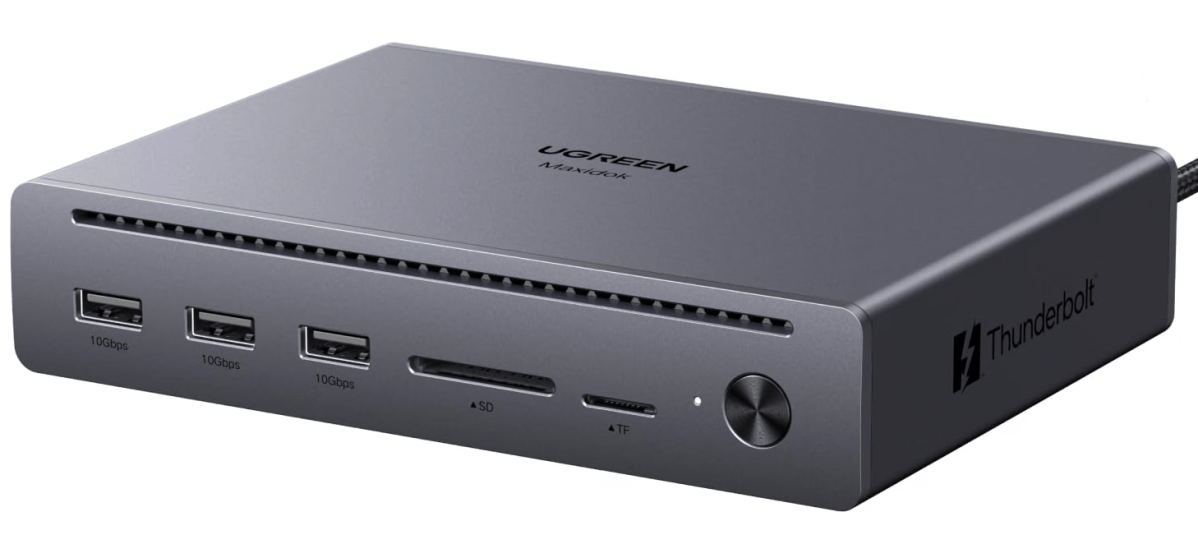
Greatest Thunderbolt 5 docking station deal, runner-up: Ugreen Maxidok Thunderbolt 5 Dock, $218.48 ($81.51 off at Amazon)
Who is that this for?
Once more, this dock works greatest for these with high-end Home windows machines. There’s a little bit of a wrinkle, right here, nevertheless: this dock features a devoted DisplayPort 2.1 port on the rear, which makes it superb for gaming and might prevent $20 or so on an additional cable in case you don’t have a devoted USB-C monitor. That really places each of those Thunderbolt 5 dock offers on a extra equal footing.
Why is that this deal good?
These are the candy Thunderbolt 5 dock offers that we hoped to see. This dock is at its lowest value ever on Amazon, although the worth bounces round fairly a bit.
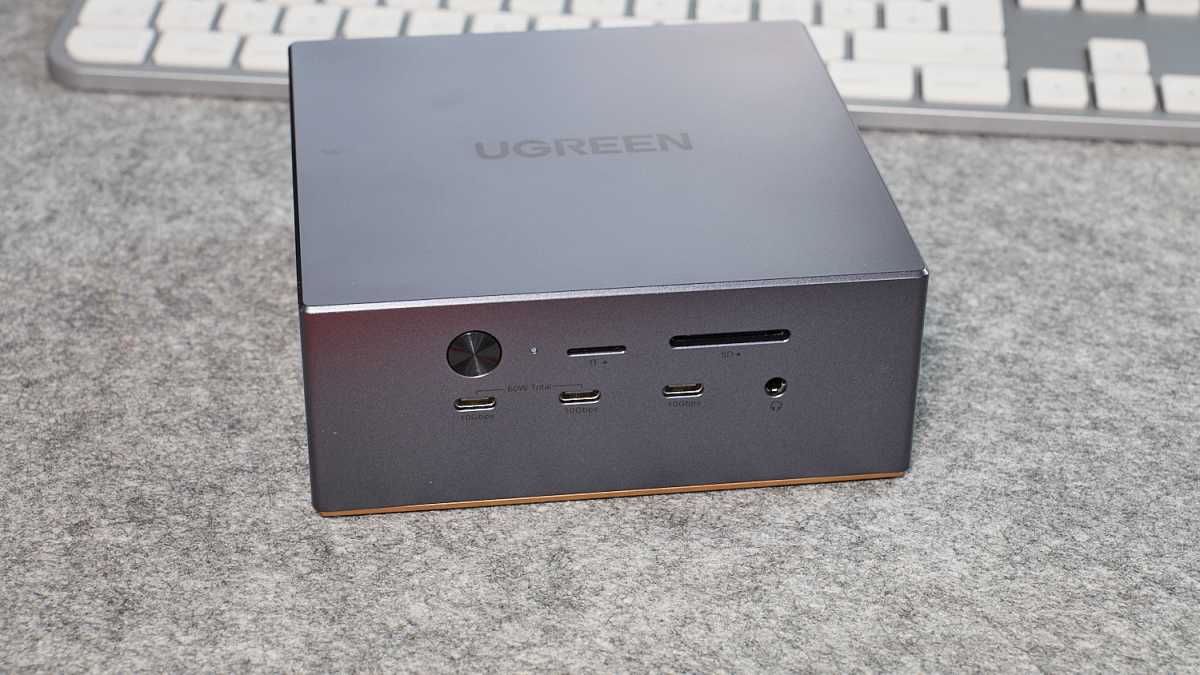
Greatest premium Thunderbolt dock deal: Ugreen Revodok Maxidok 17-in-1, $319 ($180 off at Amazon)
Thomas Bergbold
Who is that this for?
The Ugreen Maxidok 17-in-1 Thunderbolt 5 docking station is at the moment probably the most technically complete Thunderbolt 5 docks available on the market, my German colleagues wrote, giving this dock 5 stars and an Editor’s Selection award. Because the identify signifies, it consists of 17 ports, and the “construct high quality, cooling, and stability all level to a tool designed for long-term skilled use.”
(Word: The dock doesn’t include an SSD, sadly.)
Why is that this deal good?
Ugreen costs $499.99 for this dock, although I’ve seen it for a bit much less. Ugreen’s personal website at the moment provides it for $369.99 on a vacation sale, with a kind of “right here’s the worth, apply the coupon for even larger financial savings!” promotions. In any case, we advocate this dock’s capabilities and it’s on a strong sale — Amazon itself stories that it’s on the lowest value of the 12 months proper now.
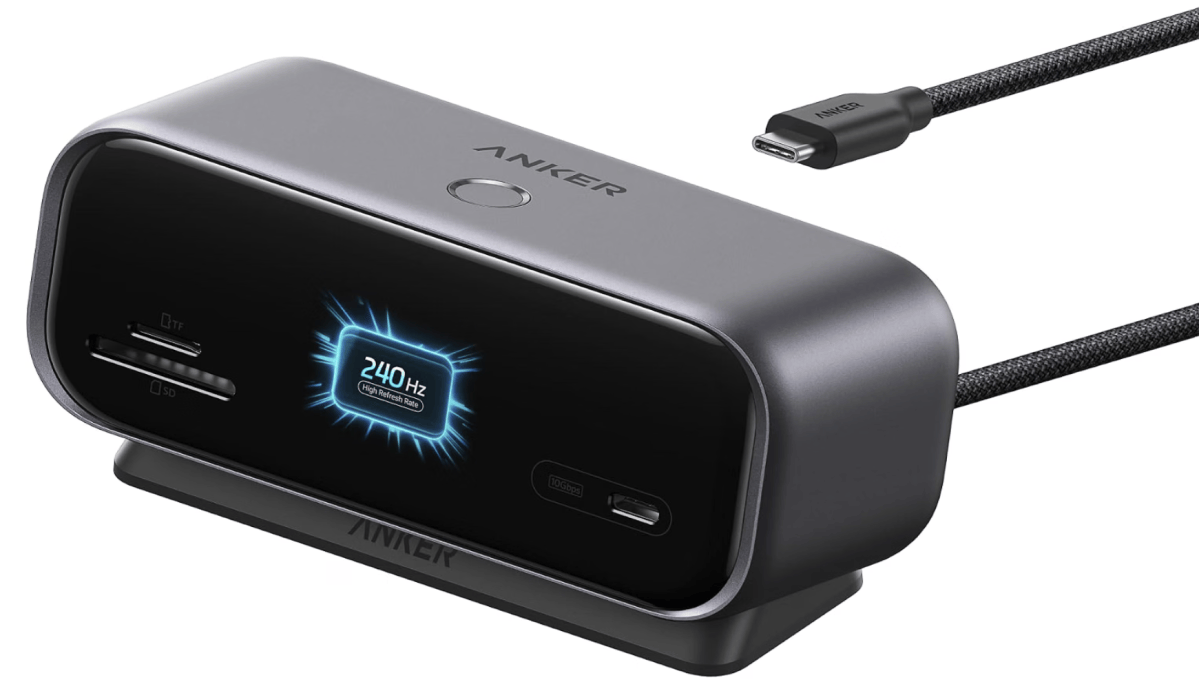
Greatest USB-C docking station deal: Anker Sensible Show Hub ($50 off at Amazon)
Amazon
Who is that this for?
This can be a USB-C docking station, which have grow to be slightly extra experimental in what they’ll do. A USB-C dock or hub solely has 10Gbps of information to play with, which a show or two can eat up rapidly. Anker and a few of its rivals are emphasizing energy and far as connectivity. I’d name this dock applicable for a house workplace, but in addition for a scholar’s desk at school.
Why is that this deal good?
This can be a new dock, so there’s no actual historical past to check it to. As a substitute, now we have a $20 low cost proper out of the gate.
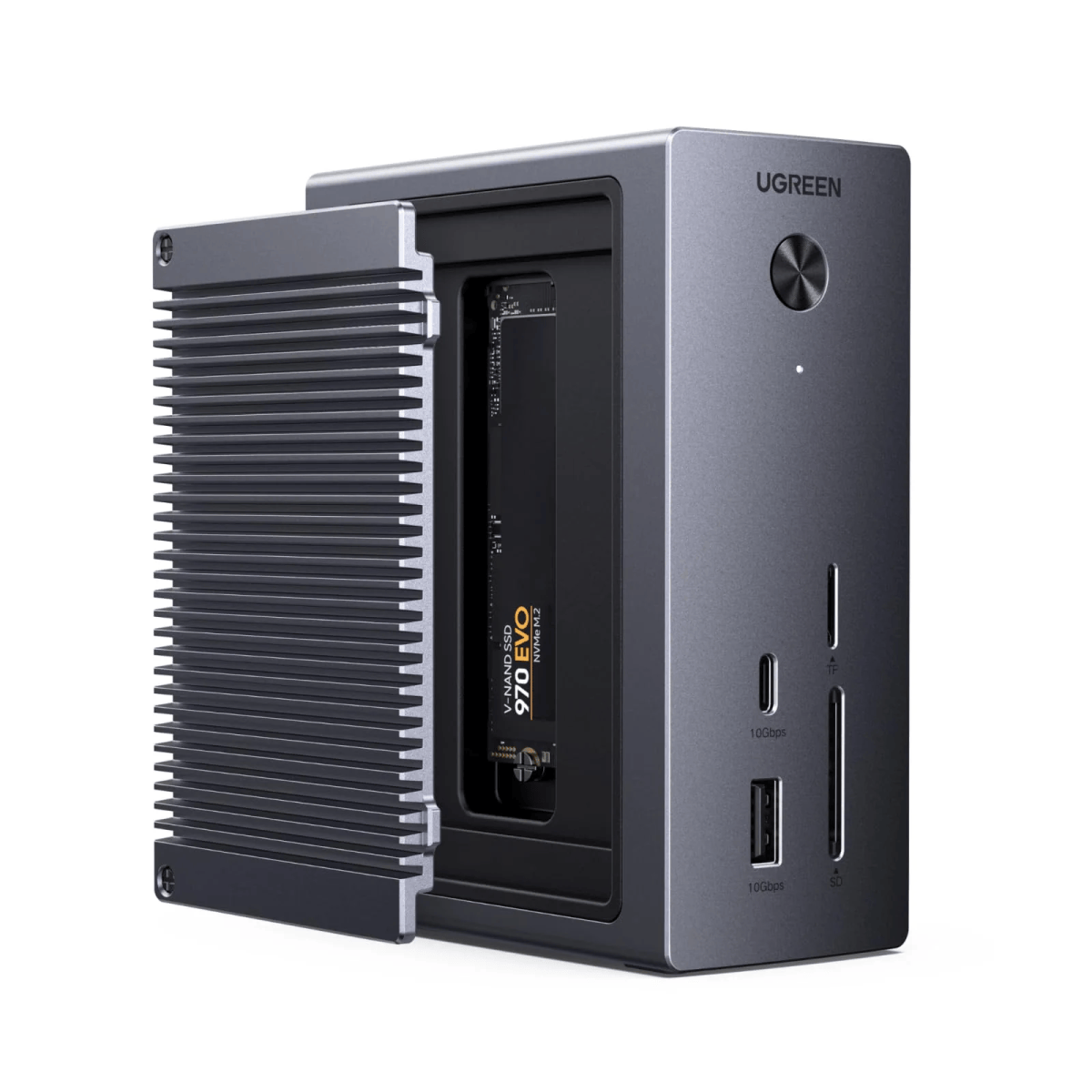
Greatest USB-C docking station deal, runner-up: Ugreen 10-in-1 USB-C Hub, $59.99 ($20 off at Ugreen)
Ugreen
Who is that this for?
This dock provides an built-in SSD connection, like sure Thunderbolt docks. You gained’t see the lightning-quick, blazing all through of these different Thunderbolt docks, however you’ll nonetheless save an SSD slot in your pc. In any other case, there’s plenty of ports, together with an HDMI port. Word that the one gadget that this dock can cost, nevertheless, is the laptop computer itself.
Why is that this deal good?
Ugreen provides this dock at $79.99 (on the high of the web page) however then provides a code to take 25% off, after which applies for an finish value of $59.99? I’m unsure how the mathematics all works out, however $59.99 is a strong value for this product, in my ebook.
Up to date on Nov. 25, 2026.
Don’t overlook dock cables, too
Some docking stations embody devoted show ports, so your show’s HDMI or DisplayPort cable can plug proper in. Others don’t, and also you’ll must pair your ports with what the dock provides. USB-C to HDMI and USB-C to DisplayPort cables run $8 to $25 at common costs, and the vacation gross sales often take them decrease as Black Week progresses — in case you want Thunderbolt 5-rated cables, funds slightly extra.
FAQ
When is Black Friday?
Formally, this 12 months’s Black Friday takes place on Friday, Nov. 27, 2026. Cyber Monday is the next Monday, or Nov. 30, 2026. Amazon’s Black Week kicks off Nov. 19.
When do Black Friday offers on Thunderbolt docks start?
Black Friday gross sales have already begun at a number of retailers, although gross sales ought to ramp up as Black Friday nears. Retailers haven’t been shy about utilizing early gross sales to unload stock earlier than the Black Friday craziness begins.
Over time, I’ve discovered that sure retailers merely outdo others in particular product classes. I routinely search websites like Newegg, B&H, Goal, and Walmart, however Amazon sometimes has the most effective assortment of offers on docking stations of all stripes, together with Thunderbolt docks.
What must you pay for a Black Friday deal on a Thunderbolt dock?
Premium Thunderbolt docks often retail for about $220 to $270 or so, relying upon the options. I often hope for $200 or much less, and we’re barely getting there.
Although Thunderbolt 3 and Thunderbolt 4 (and USB3 and USB4) docks all embody the identical primary function set, it’s nearly assured that retailers and e-tailers have bought by way of their previous Thunderbolt 3 {hardware}. (If this confuses you, please see our listing of the most effective Thunderbolt docks and the reason for the totally different options.) This in all probability leaves Thunderbolt 4 / USB4 because the default selection.
I’ll advocate one or two offers on Thunderbolt 5 docking stations, however Thunderbolt 5 is a premium platform. Not one of the 2026 cellular processor platforms will combine Thunderbolt 5 instantly, favoring Thunderbolt 4 as an alternative. Nevertheless, some gaming laptops now use Thunderbolt 5, and it’s a simple solution to future-proof your laptop computer.
I’ve a USB-C port on my laptop computer. How do I do know what to make use of with it?
Seek the advice of your laptop computer’s handbook. A Thunderbolt port might be labeled with a small lightning-bolt emblem, however that icon can generally be used to sign that the port can be utilized for charging, too. If nothing else, a USB-C dongle/hub will at all times work with a USB-C port.
I nonetheless don’t perceive the distinction between USB-C and Thunderbolt. How does all of it work?
USB ports have been round for years. USB-C (the oval-shaped port) changed USB-A (the oblong port) as a result of USB-C was extra versatile, with larger speeds and a reversible port connector. USB-C ports could be rated for both 5Gbps or 10Gbps, identical to a traditional USB-A port. However some USB-C ports connect with a Thunderbolt chip inside your laptop computer, and this enables the port to run at the next 40Gbps velocity. Bodily, the connector appears to be like precisely the identical. It’s simply what it will probably try this’s totally different.
Thunderbolt 5 is slowly coming into the market, with just a few docks and even fewer fashions of laptops that may assist it.
What’s the distinction between a USB-C hub and a Thunderbolt dock?
Velocity and options. A USB-C hub connects to a single 4K (or 1080p) show and supplies a mixture of ports: USB-A, SD card slots, and so forth. You’ll be able to often plug your laptop computer’s USB-C energy cable (if it makes use of one) proper into it.
A Thunderbolt dock provides much more bandwidth for extra ports. There are two key variations: It has sufficient bandwidth to drive a pair of 4K shows, and plenty of docks include their very own energy provide that may cost your laptop computer in addition to your cellphone. All that happens through the Thunderbolt cable that connects your laptop computer to the dock.
My laptop computer has USB4, not Thunderbolt. Can I exploit a Thunderbolt dock?
It is determined by the laptop computer and dock. USB4 makes use of the identical USB-C connector as Thunderbolt 4 and each can be utilized interchangeably, however the specs aren’t similar: some USB4 ports are 20Gbps, and Thunderbolt 3 assist varies. Most USB4 cords carry the identical 40Gbps specification as TB4. AMD and Arm-based laptops can technically have Thunderbolt 4, too, however since Intel controls Thunderbolt and its certification, which means a laptop computer with an AMD Ryzen chip or a Qualcomm Snapdragon chip inside often options USB4.
Sure, it’s form of dumb. Use the laptop computer and dock makers’ compatibility lists to test your show setup.
Is Thunderbolt 4 higher than Thunderbolt 3?
Barely. Bodily, they use the identical USB-C cable. Functionally, they’re virtually the identical, and run on the identical 40Gbps throughput. Nevertheless, Thunderbolt 4 was launched virtually as a patch to Thunderbolt 3, guaranteeing that all the things labored correctly.
In case your laptop computer has Thunderbolt, you must be capable to purchase both a Thunderbolt 3 or Thunderbolt 4 dock with none issues. (For all of the gory particulars, see my roundup of the greatest Thunderbolt docks and the reason.) Thunderbolt 5 is unquestionably higher than Thunderbolt 4, because the throughput is 80Gbps in both course, and 120Gbps in a single course in very restricted conditions.
I personal a desktop PC. Do I would like a Thunderbolt dock?
Presumably. Traditionally, the again of a desktop has been chock-full of I/O ports, particularly DIY fashions that you just construct your self. Desktops often have further room for inner SSDs, SD playing cards, and so forth. Nevertheless, in case your desktop lacks these items, and if it consists of an exterior Thunderbolt port, you possibly can at all times add these extra parts externally through Thunderbolt.
A few of these docks have dangerous opinions on purchasing websites. What provides?
Learn the person opinions intently. Whereas Macs adopted Thunderbolt first, a number of the Apple M1 silicon couldn’t sustain with Intel Thunderbolt controllers utilized by Home windows PCs, and the Apple macOS expertise suffered in consequence. If a Home windows person complains, listen; in any other case, you possibly can dismiss them.